

Use Actionable Insights to uncover unexpected fees, carrier mistakes, and avoidable costs through advanced analytics. The page has been updated for:
-
Faster Access to Insights – Streamlined navigation to reduce search time.
-
Improved Data Configuration – Enhanced filtering for tailored insights.
-
Scalability – Future-proof design for evolving business needs.
Our scale is calculated on a percentile ranking from internal analysis of all TransImpact customers. For example, a score of 5 would represent a rank of anywhere between the 45th and 54th percentiles. Our scale and all scores are recalculated once a month. Since the scale recalculates, a score can change even if its underlying value remains the same.
-
Click Operational Analysis>Actionable Insights.
These can also be accessed from the home page, refer to PSI Home **Updated**.
-
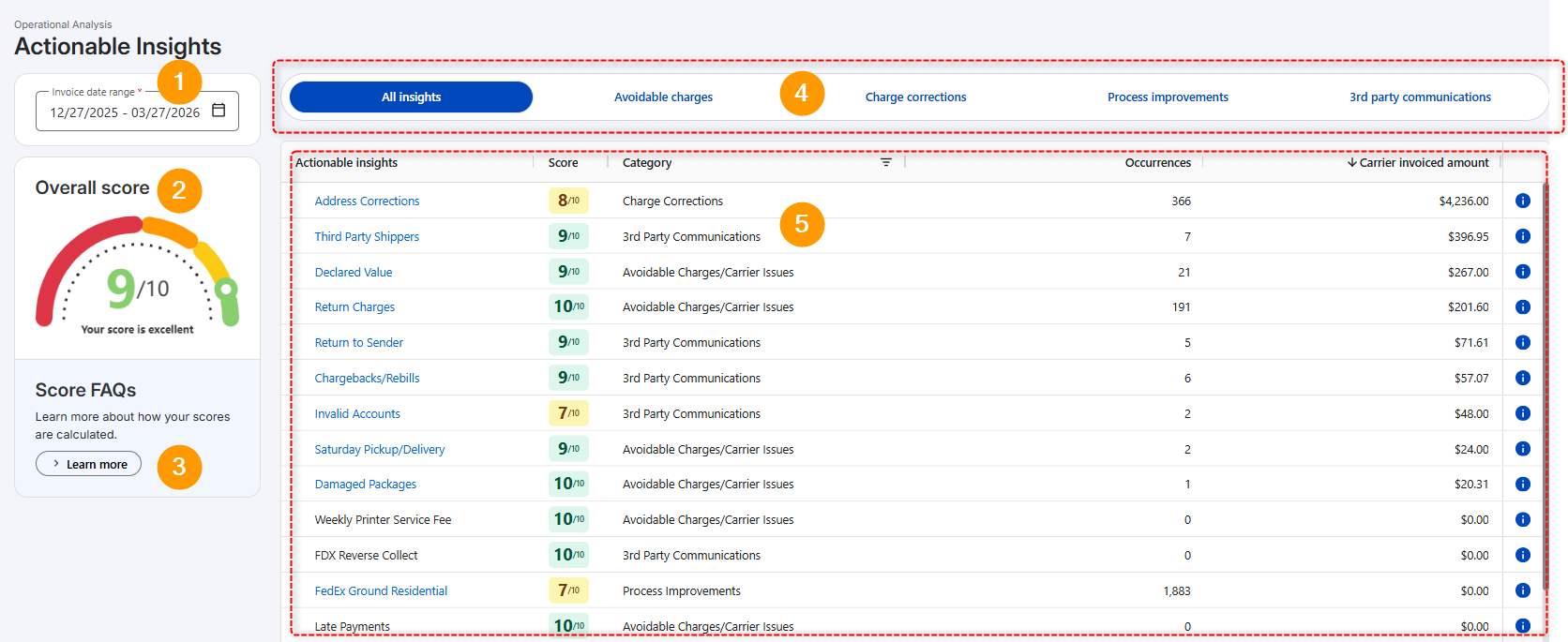
The following numbered graphic and corresponding table describes features:
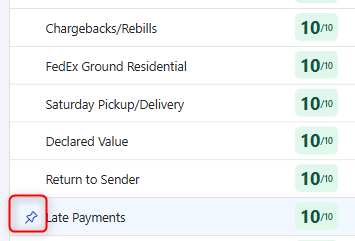
To keep your favorite Actionable Insight(s) at the top of the list, hover over the name and click the pin icon. To remove pin, click the pinned icon.
|
Feature |
Description |
|
|---|---|---|
|
1 |
Invoice Date Range
|
Click calendar icon to change the carrier Invoice Date range. |
|
2 |
Overall Score
|
Overall score is calculated using a weighted average based on relevant carrier spend. For example, if a particular Actionable Insight only applies to FedEx and you only ship 5% of total packages with FedEx, then this Actionable Insight will carry little weight in your overall score. |
|
3 |
Score FAQs
|
Click Learn More to review common questions regarding score. |
|
4 |
Filter Tabs
|
The following tabs are available to filter grid data. Click the desired tab to review insights.
|
|
5 |
Grid Data
|
Each actionable Insight is scored individually as a comparative performance of your data against other TransImpact customers on a scale of 1 to 10. All columns are sortable. Click the name of column to sort. View Insight details
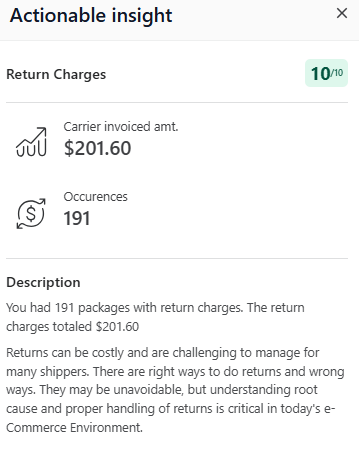
There are 3 ways to open the Actionable insight details drawer:
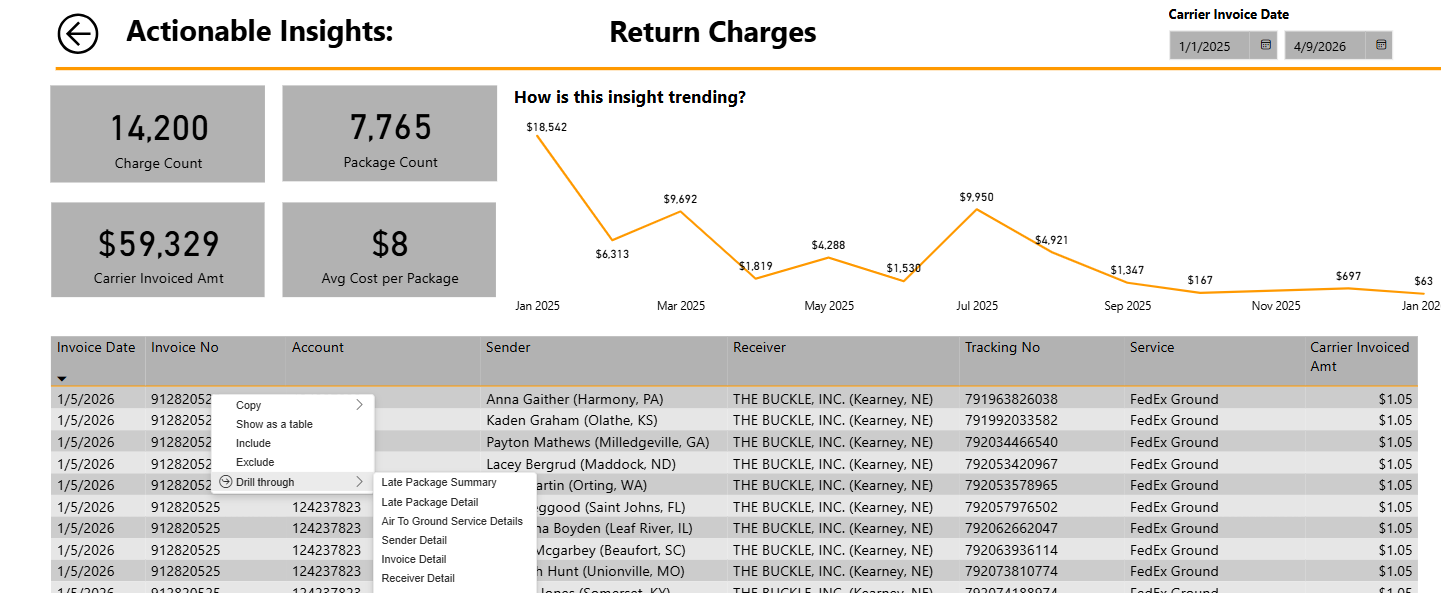
View associated report
|

Click topic to learn more