

The contract management feature is available only in the Enterprise package. Contact your Client Success Manager (CSM) to purchase it.
The Contract management feature automates carrier invoice validation against contracted rates. It eliminates manual tasks, reduces billing errors, and offers clear insight into shipping costs.
It allows you to:
-
Edit and manage stored contract data
-
Store contracts securely and ensure scalability
-
Rate shipments at the line level regardless of carrier
-
Dispute reporting that enables a client to file a claim with the carrier
The following instructions explain how to access and review the contract management page:
-
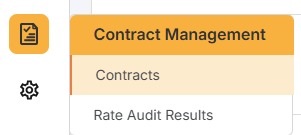
Click Contract Management>Contracts.
-
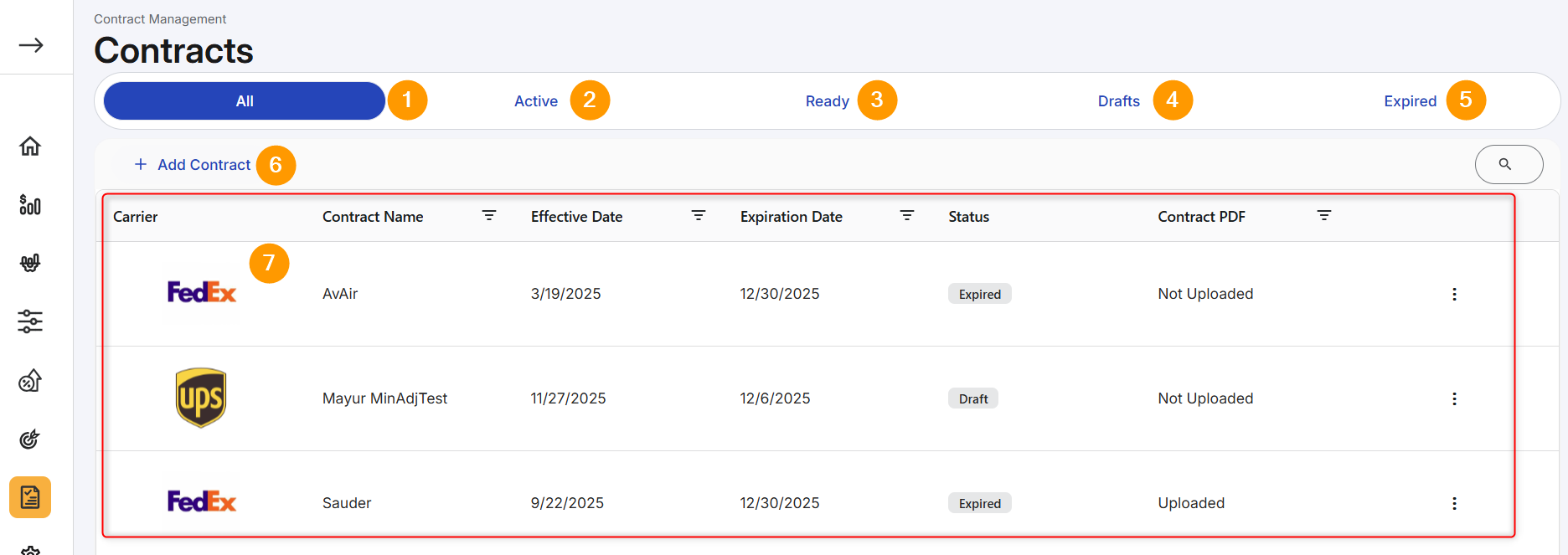
The following numbered graphic and corresponding table describes key features.
|
Feature |
Description |
|
|---|---|---|
|
1 |
All
|
This tab defaults and displays all contracts in the system. |
|
2 |
Active
|
The contract details specified under this agreement are actively being used for the Rate Audit service. |
|
3 |
Ready
|
The contract details specified under this agreement are complete and within the effective date range but are not currently used for the Rate Audit service. |
|
4 |
Drafts
|
The contract details specified under this agreement are incomplete and awaiting further action. |
|
5 |
Expired
|
The contractual agreement between a shipper and a carrier has reached its specified end date or term. |
|
6 |
Add Contract
|
Click to add a contract to the database. Refer to Add New Contract. |
|
7 |
Grid data
|
Use the search icon to narrow list of contracts. Click the vertical ellipsis to view, edit, delete, or rerate charges. Refer to Manage Contracts. To edit a contract, you can also click on the contract's grid row. |