

Welcome!
This help site contains instructions to help you uncover outliers, prevent overpayments, and unlock internal optimizations that boost your margins.
PSI is now Transportation Spend Management (TSM)
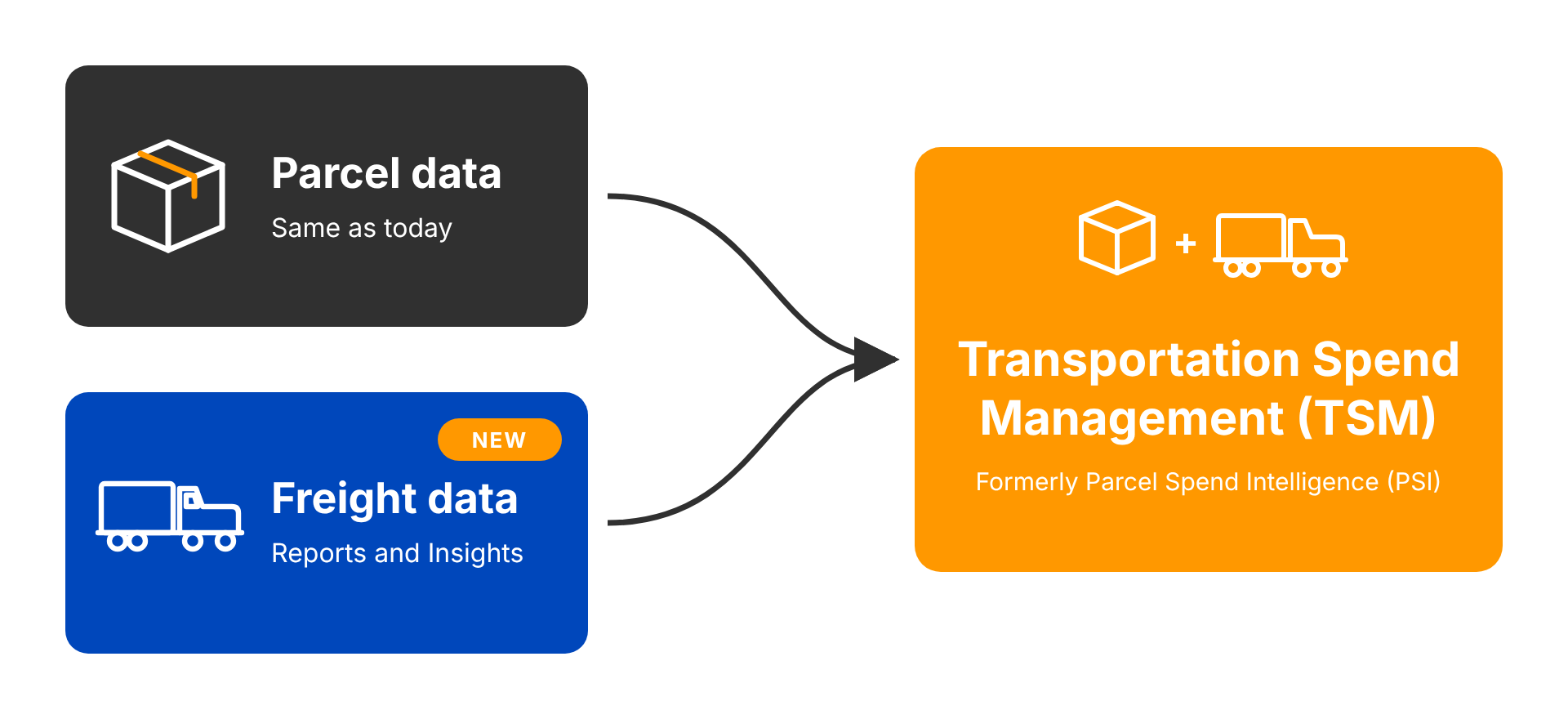
Parcel Spend Intelligence (PSI) has a new name: Transportation Spend Management (TSM). TSM is the same application you use today. It’s growing into one place to manage all of your transportation spend, both parcel and freight.
Why the change
Many customers manage parcel and freight spend in separate applications, with different screens, separate data, and separate logins. TSM brings both into one application. You can see spend trends, rate-increase impacts, and patterns across shipping modes without switching between apps.
What stays the same
-
Your parcel data, reports, and Actionable Insights.
-
The way you work in the application today. TSM is built on PSI, not on a new system.
What You’ll See
What changes for you depends on the modes your account includes:
|
If your account includes |
Then you’ll see |
|---|---|
|
Parcel and freight |
Mode tabs on the home page dashboard and a mode choice in alerts and reports, so you can view each mode alone or all modes together. |
|
Parcel only |
The TSM name. Your screens work the same way they do today. |
|
Freight only |
A home page dashboard and features for your freight mode. |
New Menu Structure - maybe
To make the added freight data easier to navigate, the menu has been restructured.
|
New Menu Item |
What it contains |
New Page |
Name Changes |
Summary |
|---|---|---|---|---|
Actionable Insights
|
Same as PSI |
|
|
The 40 parcel insights drop to 22, grouped by root cause. |
Reports
|
|
|
|
The menu redesign moves every report out of the sidebar into one Reports section, so the menu doesn’t grow as freight reports and insights are added. |
Audit
|
|
Freight Invoices |
Freight Audit (was Freight Invoices) |
Invoice audit work. Items that only apply to parcel have “Parcel” added to their names. |
Contract Management
|
Same as PSI |
|
|
Carrier contracts, plus the savings you get from negotiating them. |
Settings
|
Same as PSI but with a new page. Alerts has Mode drop-down
|
Parcel Carrier Management - Carrier logins, Carrier accounts, Carrier account groups, and Invoice upload |
|
Account and configuration pages. |
Click topic to learn more