

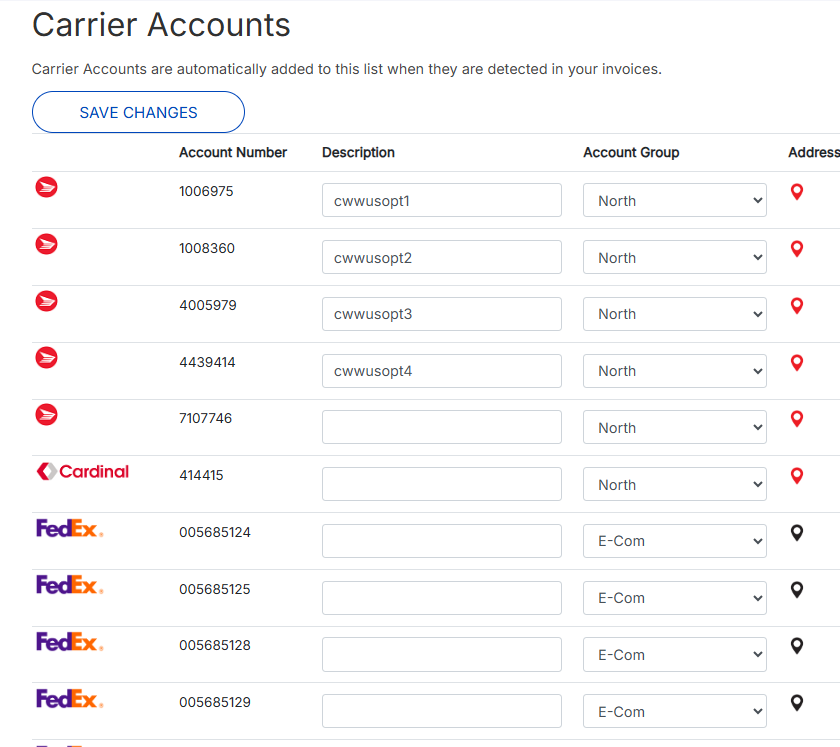
Carrier Accounts is a list of accounts that were detected in your invoices. Use this page to add description, account group, and address to carriers.
-
Click Settings>Carrier Accounts.
-
Modify the Description and Account Group fields as needed.
-
Red address icons indicate there is no address. To add or modify an address:
-
Click address

-
Complete or modify fields.
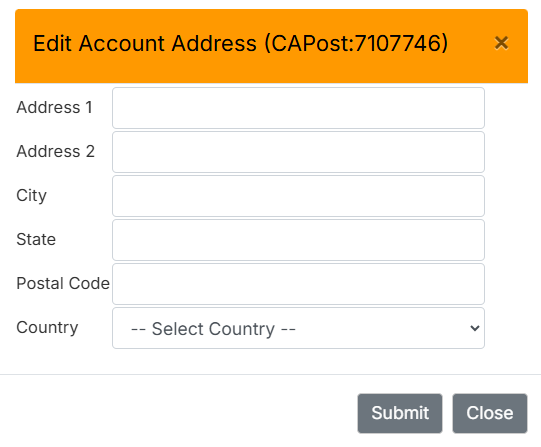
Edit Account Address -
Click Submit.
-
Click Save Changes.
-