Send/Receiver groups allow you to create custom groups.
Create Group
-
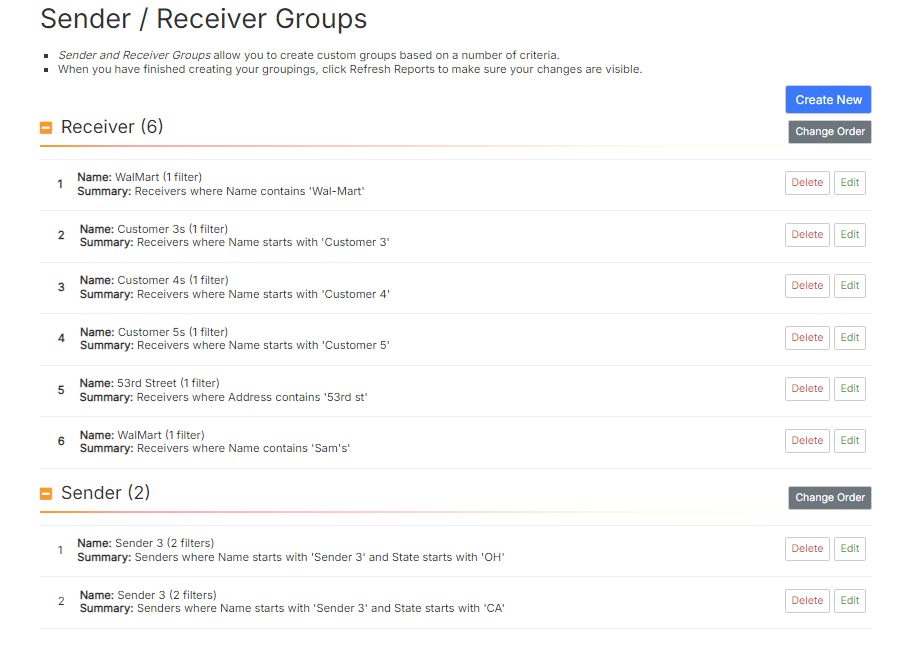
Click Settings>Sender Receiver Groups. The Sender/Receiver Group page displays.
-
Click Create New.
-
In the category section select the radio button for Sender or Receiver.
-
The Field and Qualifier fields are pre-populated to set up a new filter with Name and Starts with. Leave these as is.
-
Type the name of the group you are creating in the Filter field.
-
If needed, click the Add Filter hyperlink to add an additional filter. Repeat steps a-c for the additional filter.
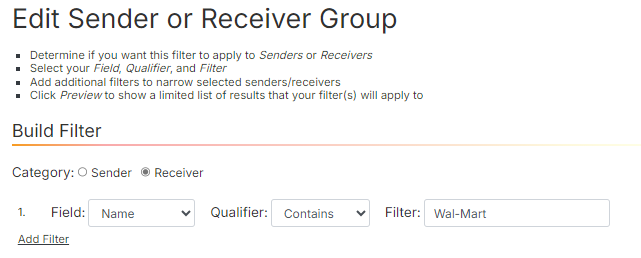
Add Filter -
Click Preview.
-
Click Create.
-
Enter the Name of the Group.
-
Click Save.
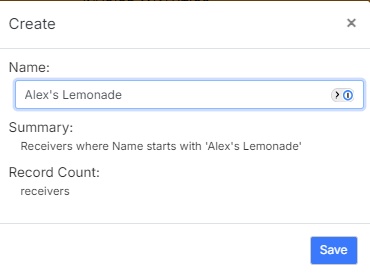
Create Window -
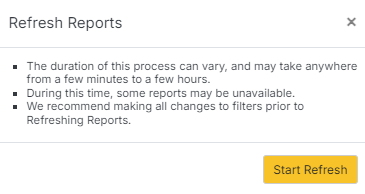
Click Refresh Reports.
-
Click Start Refresh.
Edit group
-
Click Edit on corresponding row.

-
Make changes to the filter(s).
-
Click Preview if needed.
-
Click Update.
Delete group
-
Click Delete on corresponding row.

-
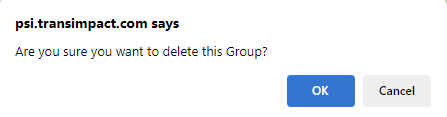
Click OK to confirm deletion. The group is removed from the Sender/Receivers Group page.